
Band Stars1.9.0 - App Store
You'll be able to see results in few seconds.
Publisher Description
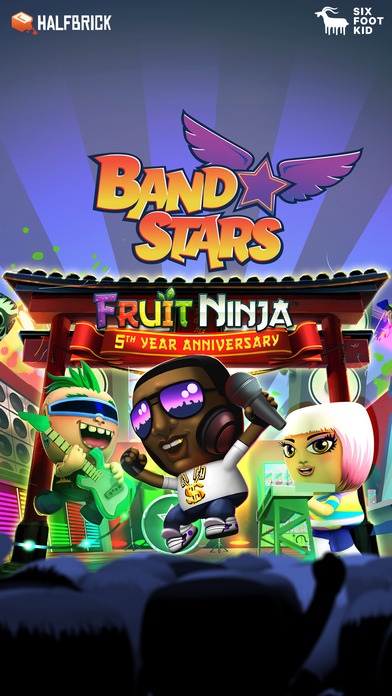
Form a band, hit the studio and start recording! Train up your band and complete challenges as you make your way to the top of the charts. Fame and fortune await!
Set your sights on world stardom and make your way to the top of the local, national and global charts. Discover each of the 50 super-cool Band Stars characters and complete over 200 unique challenges!
Created with passion by Six Foot Kid and presented by Halfbrick, the creators of Fruit Ninja and Jetpack Joyride.
Play Band Stars on your iPhone, iPad or iPod Touch!
KEY FEATURES:
Compete with your friends for the highest chart position and the most fans
Blend different genres and lyrical styles to create chart topping hits
Pull off insane solos to boost your song points
Hire and train your band members
Unlock all 50 band members, each with their own style and set of custom challenges
Earn piles of coin and upgrade your gear to dominate the world of music
Deck out your studio with hot tubs and arcade machines to keep your musicians happy
It doesn't matter what type of music you love, Band Stars features loads of genres - pop, rock, metal, urban, electronica, jazz, punk, country and even world music! Join the phenomenon now!
Band Stars is completely free to play but some in-game items will require purchase. You can turn-off the payment feature by disabling in-app purchases in your device s settings.
If you have suggestions or feedback, please contact us at support@sixfootkid.com
To view our privacy policy please go to: www.halfbrick.com/pp
Requires iOS 6.0 or later. Compatible with iPhone, iPad, and iPod touch.
About Band Stars
The company that develops Band Stars is Halfbrick. The latest version released by its developer is 1.9.0.
To install Band Stars on your iOS device, just click the green Continue To App button above to start the installation process. The app is listed on our website since 2013-12-04 and was downloaded 0 times. We have already checked if the download link is safe, however for your own protection we recommend that you scan the downloaded app with your antivirus. Your antivirus may detect the Band Stars as malware if the download link is broken.
How to install Band Stars on your iOS device:
- Click on the Continue To App button on our website. This will redirect you to the App Store.
- Once the Band Stars is shown in the iTunes listing of your iOS device, you can start its download and installation. Tap on the GET button to the right of the app to start downloading it.
- If you are not logged-in the iOS appstore app, you'll be prompted for your your Apple ID and/or password.
- After Band Stars is downloaded, you'll see an INSTALL button to the right. Tap on it to start the actual installation of the iOS app.
- Once installation is finished you can tap on the OPEN button to start it. Its icon will also be added to your device home screen.
Program Details
System requirements
Download information
Pricing
Version History
version 1.9.0
posted on 2013-12-04
Disclaimer
Official App Store Link
We do not host Band Stars on our servers. We did not scan it for viruses, adware, spyware or other type of malware. This app is hosted by Apple and passed their terms and conditions to be listed there. We recommend caution when installing it.
The App Store link for Band Stars is provided to you by apps112.com without any warranties, representations or guarantees of any kind, so access it at your own risk.
If you have questions regarding this particular app contact the publisher directly. For questions about the functionalities of apps112.com contact us.
